Tracking the cost of running your vehicles
Every vehicle has a hidden total: fuel, insurance, MOT, tax, parts, the occasional repair. GarageHQ lets you log each cost as you go, attach receipts, and watch a per-vehicle and org-wide total build up over the years.
1. Add an expense
On the vehicle detail page, switch to the Costs tab to find the Parts and bills section. Click + Add expense.
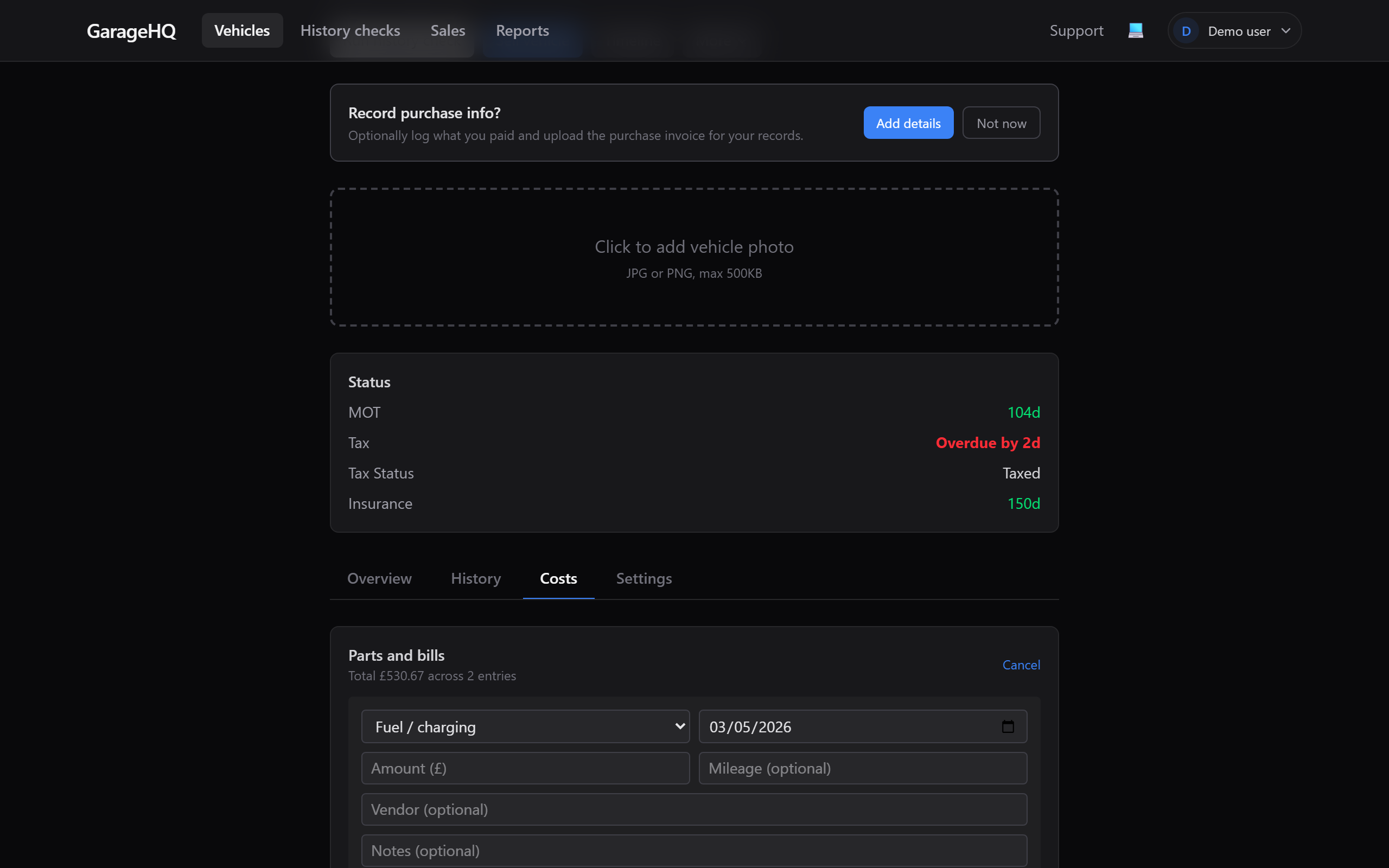
The categories are:
- Service for service work logged outside the service-history section.
- Parts for parts you bought (oil filter, tyres, etc.).
- Fuel / charging for petrol, diesel, and EV charging in one bucket.
- Insurance for annual or monthly premiums.
- MOT for the test fee.
- Tax for vehicle excise duty.
- Repair for ad-hoc repair costs.
- Other for anything that doesn't fit.
Each entry needs a date and an amount. Vendor, notes, and mileage are optional but useful for the audit trail.
2. Attach the receipt
After saving, click Upload on the entry. Same upload pipeline as service-history receipts: PDF, JPG, PNG, WebP, up to 15MB.
The receipt sticks with the entry. If you ever sell the vehicle, the buyer (on a Garage or Garage+ tier) inherits a copy.
3. Edit after the fact
Mistype the amount? Forgot to add the vendor? Click Edit on any row. The form re-populates with the current values; change what you want and hit Save. An "edited" stamp appears so the audit trail still shows the entry was modified after creation.
The same thing now works on existing service-history entries. You can fix a typo or update the cost without deleting and losing the attached receipts.
4. See the totals
From the top nav click Reports, then open Cost of ownership (TCO) to see your fleet totals.
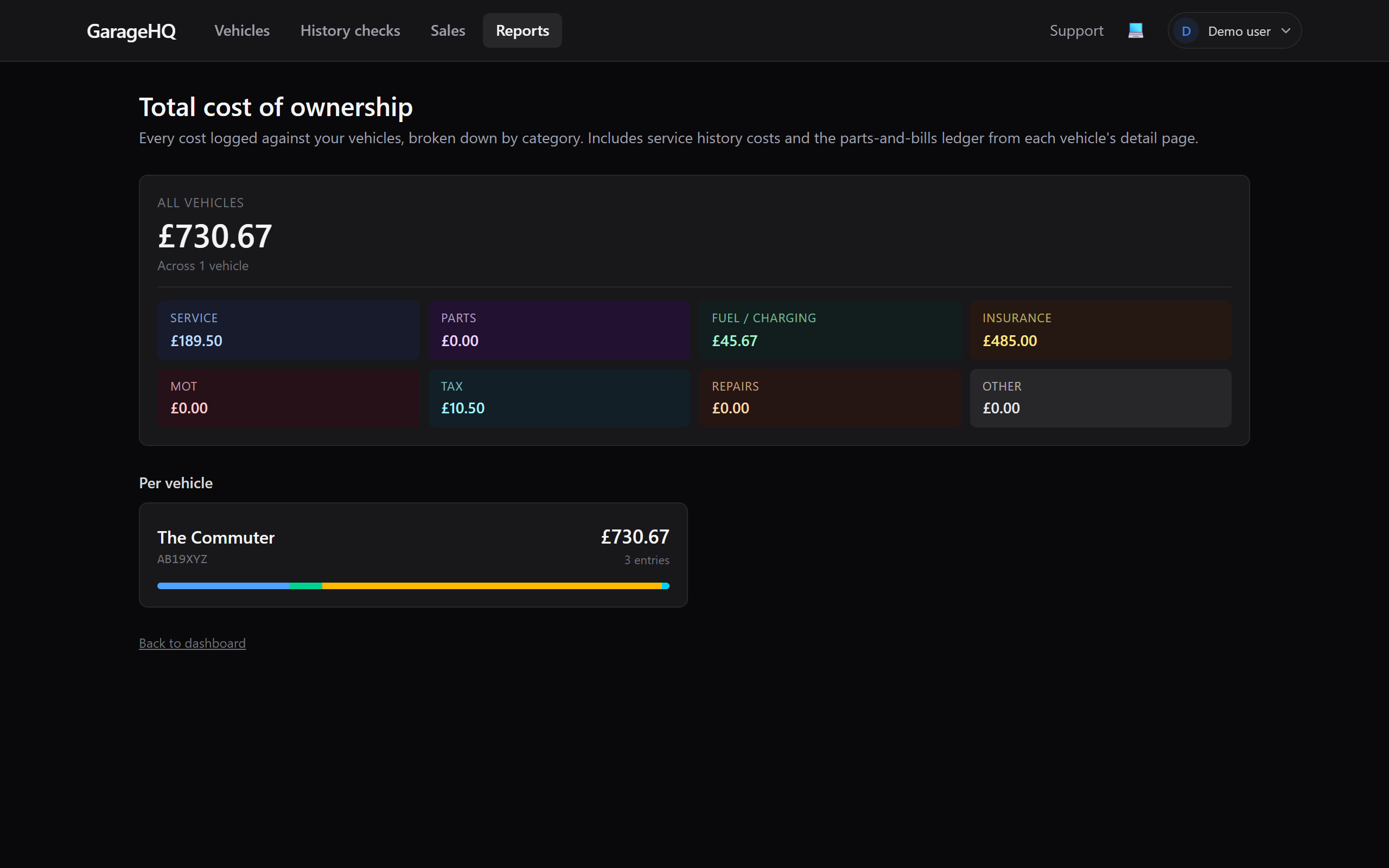
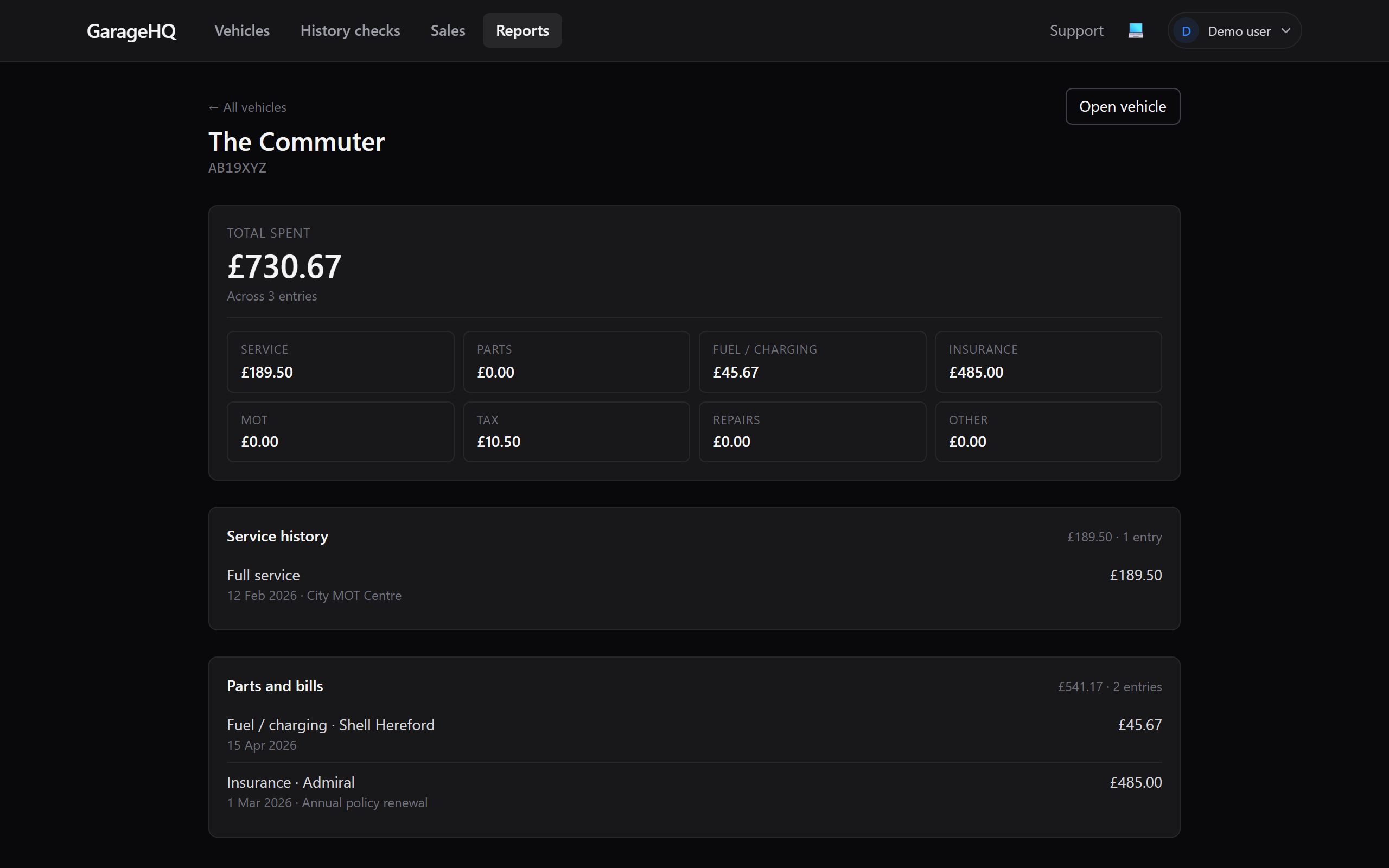
Click a vehicle pill to drill into its breakdown by category and see the underlying expense + service-history rows.
5. Finance and acquisition
If a vehicle is on finance, the report shows a Finance category covering the accrued deposit, monthly payments, and balloon (where you have paid it). If the car was bought outright, it shows an Acquisition category for the purchase price instead. The two are mutually exclusive, so a vehicle's acquisition cost is never counted twice.
You can also select several vehicles for a combined plus per-vehicle total, see cost per mile and per month where mileage allows, and switch on Subtract disposal value to net off what you recovered on a sale or part-exchange.
See Tracking finance agreements for adding and managing the agreements themselves.
Privacy when you sell
When you create a sell listing for a vehicle (see Selling a vehicle), buyers don't see your cost data unless you tick Cost-of-ownership summary on the sell-flow modal. Service history without that toggle shows what was done but not what you paid; parts and bills without that toggle shows the entries but not the amounts.
What next?
- Tracking finance agreements to record PCP, HP, or lease finance and fold it into these totals.
- Service history and mileage for logging the work done as well as what it cost.
- Selling a vehicle to share what you've built with a buyer.
- Uploading a photo of the vehicle.