Receipts and invoices
GarageHQ uses Stripe for all payments, so every receipt and invoice you ever get is held in your Stripe customer record. We don't generate our own. We just point you at Stripe's billing portal where you can self-serve everything.
Opening the billing portal
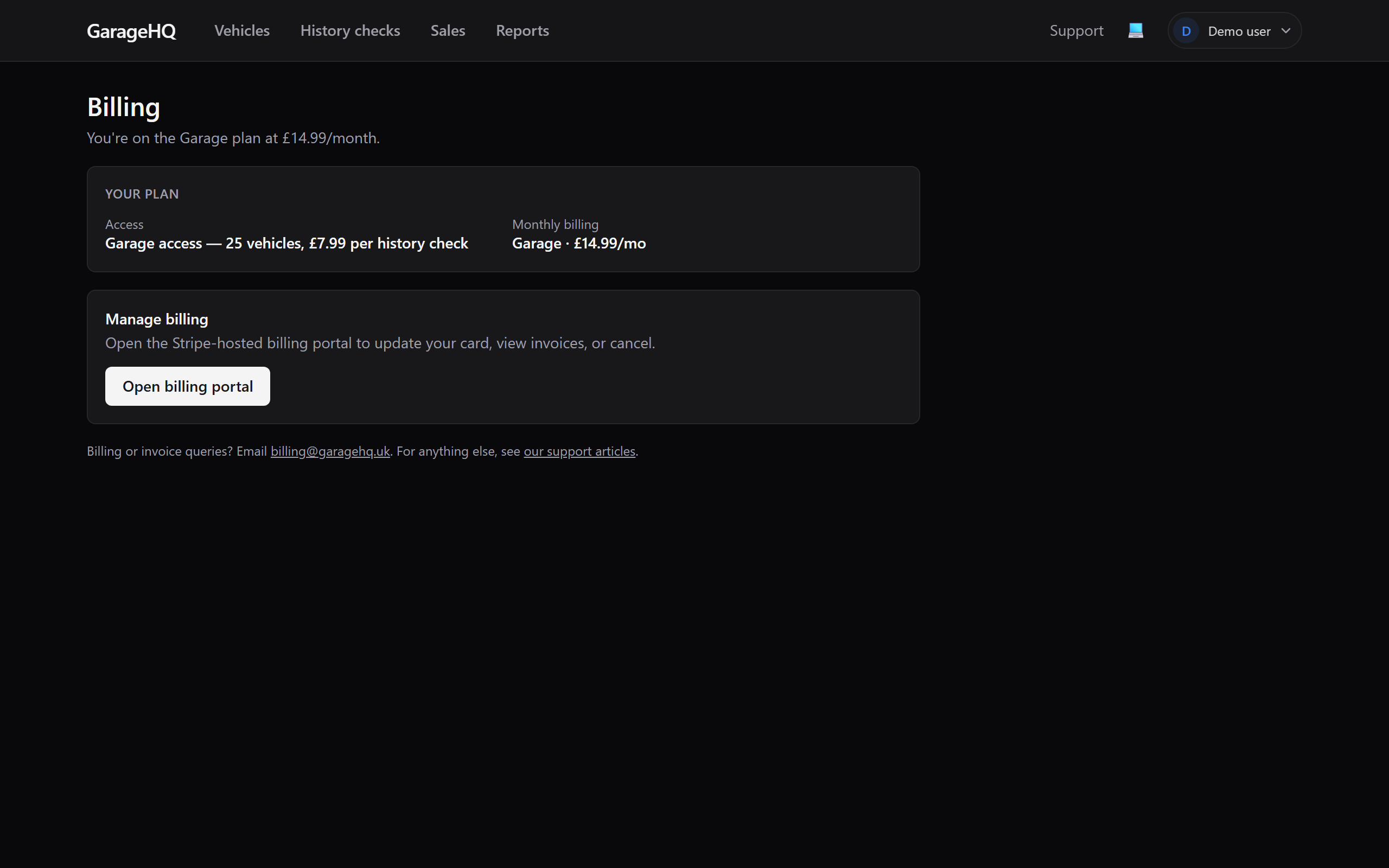
- Sign in as the org owner (only owners can open the billing portal: it controls money).
- Go to Settings → Billing and click Open billing portal.
- You'll be redirected to a Stripe-hosted page on the same login session. The URL is something like
billing.stripe.com/.... That's expected.
What's in the portal
| Section | What you can do |
|---|---|
| Invoices | Download every past invoice as a PDF. Includes monthly subscription charges and one-off history check payments. |
| Payment methods | Add or replace your card. Cards are tokenised at Stripe; we never see the number. |
| Subscriptions | Change plan (Personal / Garage / Garage+ / Enterprise), pause, or cancel. |
| Receipt email | Update the email address Stripe sends receipts to. By default it's the email you signed up with. |
| Tax / VAT details | Add a VAT number, business name, or billing address that should appear on your invoices. |
Finding a specific invoice
Inside the portal:
- Click Invoices in the left nav.
- Past invoices are listed newest-first with date, amount, and status.
- Click any invoice to open it. You'll see a "Download PDF" link in the top right of the page.
If a specific invoice is missing or the amount looks wrong, email billing@garagehq.uk rather than disputing the charge with your bank. Disputes trigger Stripe holds that affect everyone on the account.
Updating your card
Cards expire. When yours does, you'll get an email from Stripe a couple of weeks before. To update:
- Open the billing portal.
- Payment methods → Add payment method → enter the new card.
- Set it as default.
- Optionally remove the old one once the new one is verified working.
Stripe automatically retries failed monthly charges with whatever default card you have on file. If a charge fails three times, your subscription pauses (status changes to past_due) and we email the org owner. See managing subscription for the recovery flow.
VAT and business invoices
If you're running GarageHQ for a business and need invoices to show your company name and VAT number:
- Open the billing portal → Invoice details (or Tax, name varies).
- Add your business name, address, and VAT number (if applicable).
- Future invoices include those details automatically. Past invoices stay as-issued. Stripe doesn't retroactively edit invoices, so if you need a past one re-issued with new details, email billing@garagehq.uk.
GarageHQ UK Ltd is below the £90,000 VAT threshold today, so we don't currently charge VAT on subscriptions or one-off checks. If you're VAT-registered, no input VAT to claim back. We'll update this article when that changes.
Download all invoices in one go
The Stripe portal doesn't have a "download all as ZIP" button. To get every invoice for an accounting handover:
- Email billing@garagehq.uk from the org owner's email asking for "a full invoice export."
- We'll send a ZIP of every PDF on file within a working day.
This is the same flow we use for data export under GDPR, just narrower in scope.
What next?
- Managing subscription, change plan or cancel.
- Your 14-day trial, what happens at the end of the trial period.
- Contacting support, for billing queries we can't self-serve.