Cancelling or rescheduling an appointment
If a service date moves or the booking falls through, you can remove or replace the appointment from inside GarageHQ. Here's how, plus what happens to the .ics calendar invite that went out at booking time.
Cancelling
- Open the vehicle's detail page.
- Scroll to the Appointments card.
- Find the appointment you want to remove. Click the small × at the right of its row.
- Confirm the prompt.
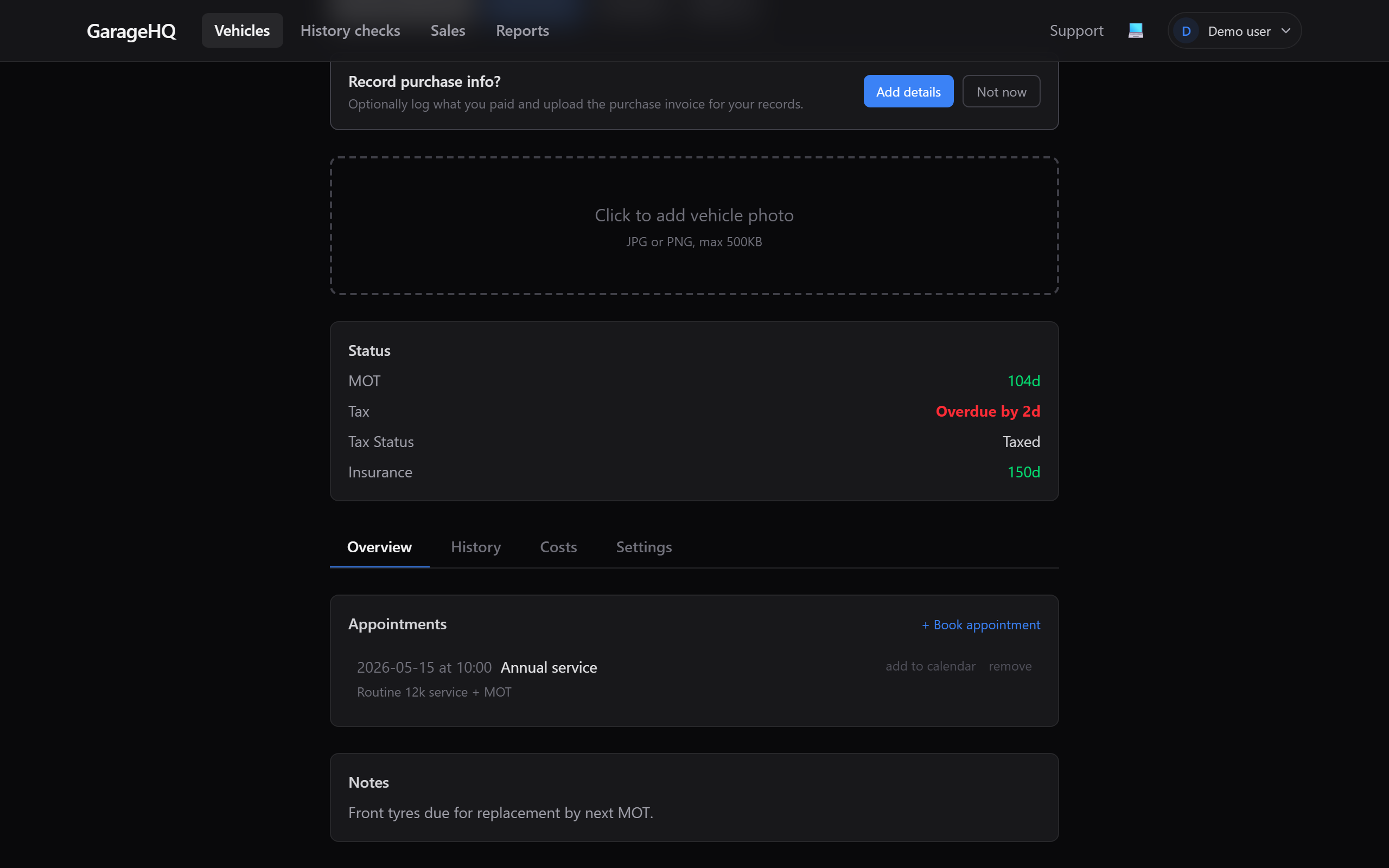
The appointment disappears from the list immediately.
Rescheduling
GarageHQ doesn't have an "edit appointment" form yet. To move an appointment:
- Cancel the existing one (steps above).
- Book a new one with the new date / time. See Booking appointments.
This is intentionally clunky. The alternative would be silently mutating dates without re-issuing calendar invites, which causes more problems than it solves.
What happens to the calendar invite
When you booked, GarageHQ emailed both you and the garage with a .ics calendar attachment. That invite is independent of GarageHQ once it's in your calendar: Google Calendar, Outlook, Apple Calendar etc. don't poll us for updates.
So when you cancel inside GarageHQ:
- The appointment row is removed from the vehicle.
- Your calendar entry is not auto-removed. You'll need to delete the event from your calendar manually.
- The garage's calendar entry isn't auto-removed either. You should email or call them to confirm the cancellation, otherwise they'll still expect you.
This is the same tradeoff that any ".ics emailed at booking time" service has. We're considering a future "reissue invite" feature that would send a METHOD:CANCEL ics, which most calendar apps would honour automatically. Not built yet.
Does cancelling affect my service history?
No. Service history entries are separate from appointments:
- Appointments = "we plan to do this on date X".
- Service history = "this was actually done on date Y, here are the details".
You only add service history after the work has been done. Cancelling an appointment leaves any related service history alone. There usually isn't any yet, because the appointment hadn't happened.
What if I want a record that I cancelled?
GarageHQ deletes the appointment outright; there's no audit log of cancellations. If you need a trail (say, for a manager or for proof), screenshot the appointment before cancelling.
What next?
- Booking appointments, the full booking flow.
- Service history and mileage, record the work after it's done.
- Removing a vehicle, deleting an entire vehicle cascades all its appointments too.