Reassigning vehicles between members
When someone leaves your team, takes over a fleet vehicle, or you just want to tidy up who-owns-what, you can move a vehicle's ownership from one org member to another in two clicks. The service history, mileage log, appointments, photos, and notification preferences all move with it. Only the owner_id changes.
Owners and admins can reassign. Members cannot.
Two places to do it
GarageHQ exposes the same reassign in two spots. Pick whichever's faster for you:
A. From the vehicle's own page (one-off reassign)
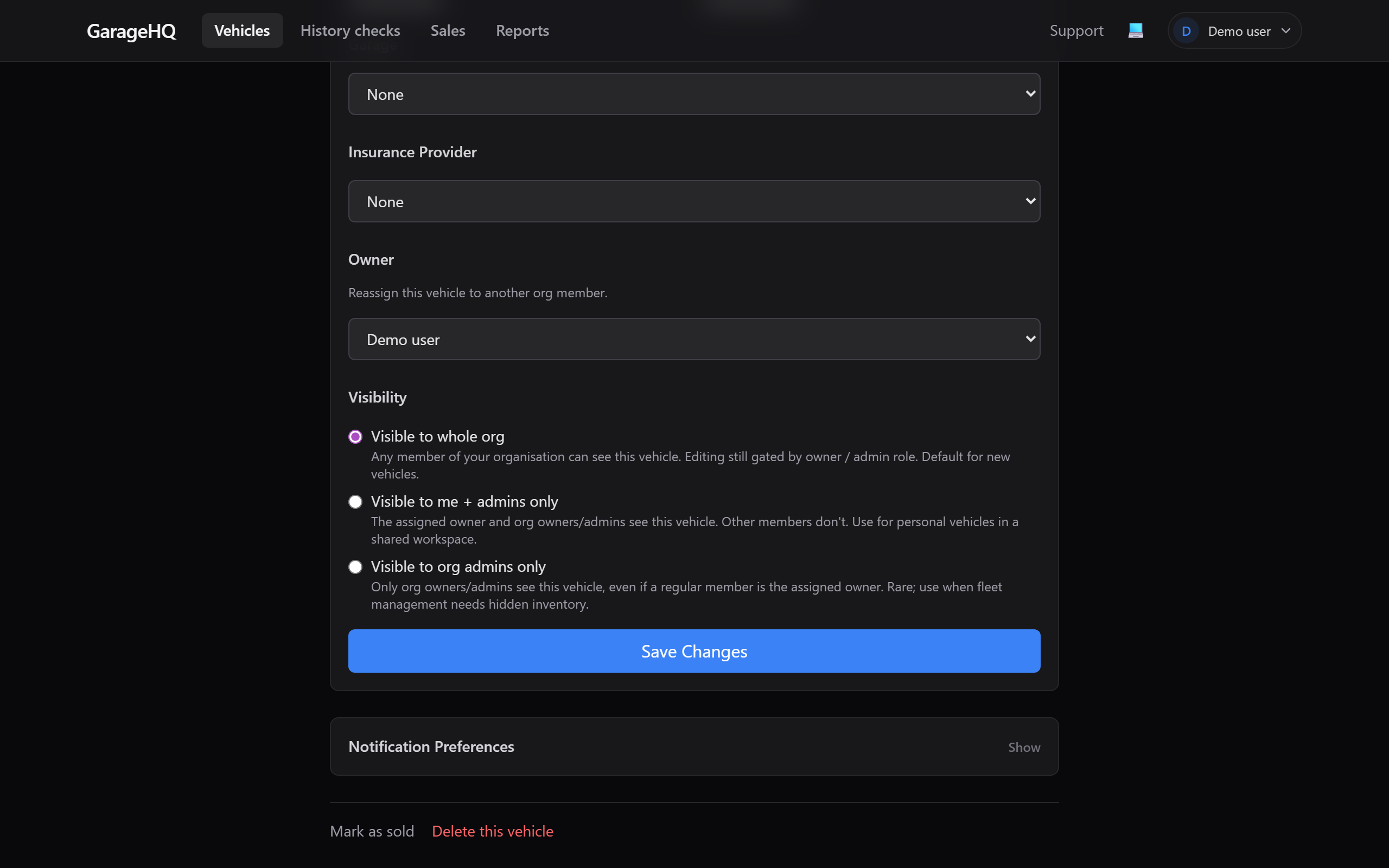
The natural home for "I'm looking at this vehicle and need to hand it to Alex." Open the vehicle, click Edit, scroll to the Owner section. The dropdown lists every member of your org. Pick the new owner, click Save Changes.
B. From Settings → Team (bulk view)
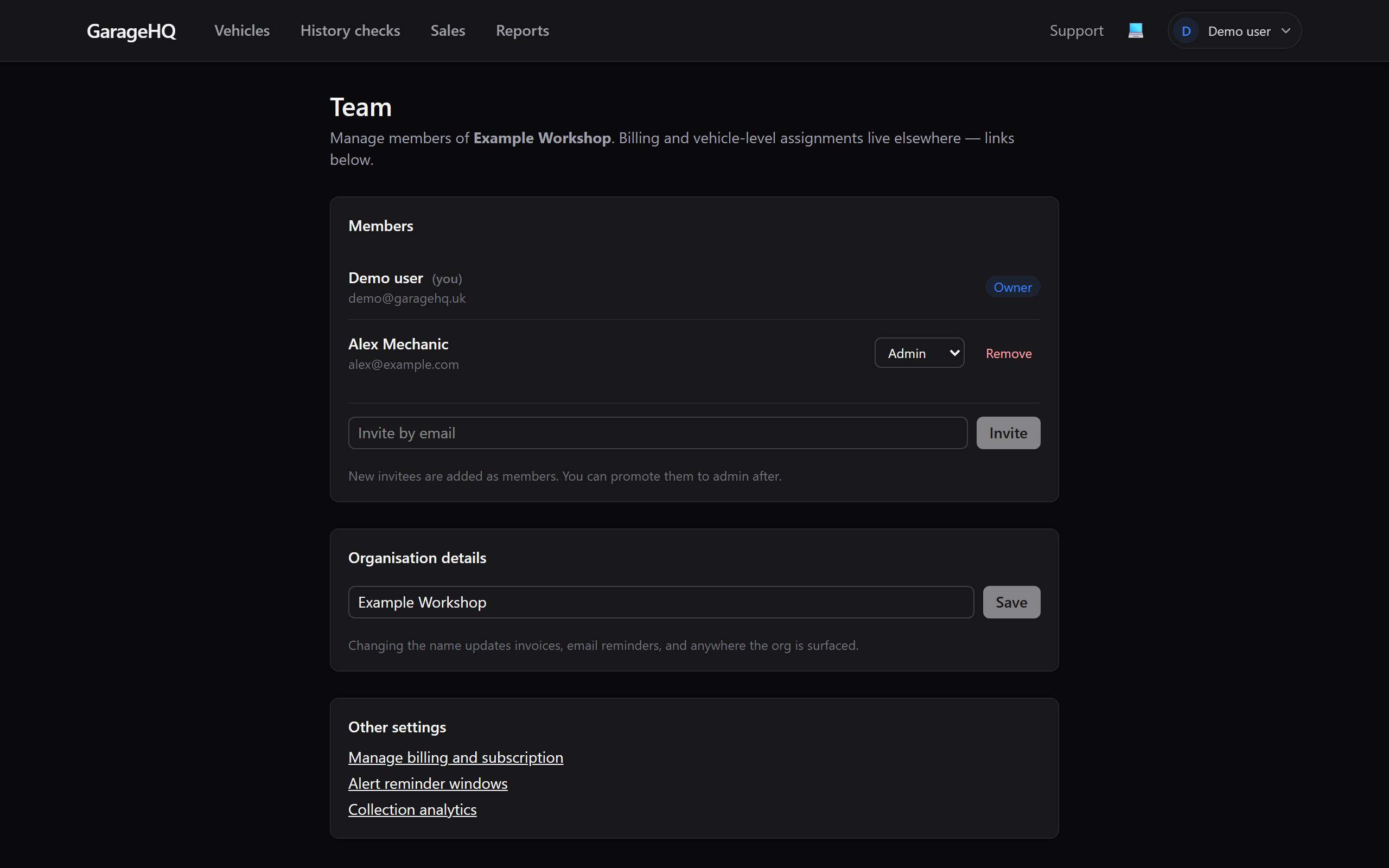
The right place when you're doing several at once or want a top-down overview. Scroll past the Members and Org name sections. There's a Vehicles card listing every vehicle in the org with its current owner.
The reassign
- Find the vehicle in the Vehicles card.
- Click the owner dropdown beside it.
- Pick the new owner from the list (every current org member appears).
- The change saves immediately. A small "Saving..." indicator appears, then the row updates with the new owner's name.
That's it. No confirmation dialog because the action is reversible. You can flip ownership back the same way.
What changes after a reassign
- The new owner sees the vehicle in their personal vehicles list.
- The previous owner stops seeing it (unless they're an org admin or owner, who see every vehicle anyway).
- Per-vehicle notification preferences are kept, but reminder emails now go to the new owner's email.
- Service history, mileage entries, appointments, and the photo are unchanged. They belong to the vehicle, not the user.
What doesn't change
- The vehicle's reg, nickname, garage, insurer, etc. all unchanged.
- Past history check reports stay attributed to whoever ran them. The "run by" field on a report doesn't move.
- Calendar invites already in the previous owner's calendar are not removed. You'll need to clean those up manually.
- Stripe billing is unaffected. The org pays per check / per month, not per user.
When to reassign vs delete
| Situation | Reassign or delete? |
|---|---|
| Mechanic Alex left the company; her three vehicles need a new owner | Reassign to whichever member is taking them on |
| Replaced one fleet van with another | Reassign the new van; the old van stays assigned to its owner until it's actually disposed of |
| Vehicle was sold to an external buyer | Delete the vehicle, it's no longer yours |
| Vehicle is dual-use across two members | Pick whichever uses it more; everyone in the org can still see it if you've set the right roles |
Plan and role limits
- Personal plan has only 1 member, so reassign isn't applicable.
- Garage / Garage+ / Enterprise plans support reassigning to any current member.
- Members can't reassign, even their own vehicles. They have to ask an owner or admin.
What if a member is removed from the org while owning vehicles?
Removing a member is gated: GarageHQ won't let you remove a member who still owns vehicles unless you reassign first. The remove dialog blocks with a message pointing here. This stops vehicles being orphaned.
What next?
- Inviting team members, add a new member you want to assign vehicles to.
- Member roles explained, who can reassign and who can't.
- Removing a vehicle, when reassign isn't right and you want to delete instead.